
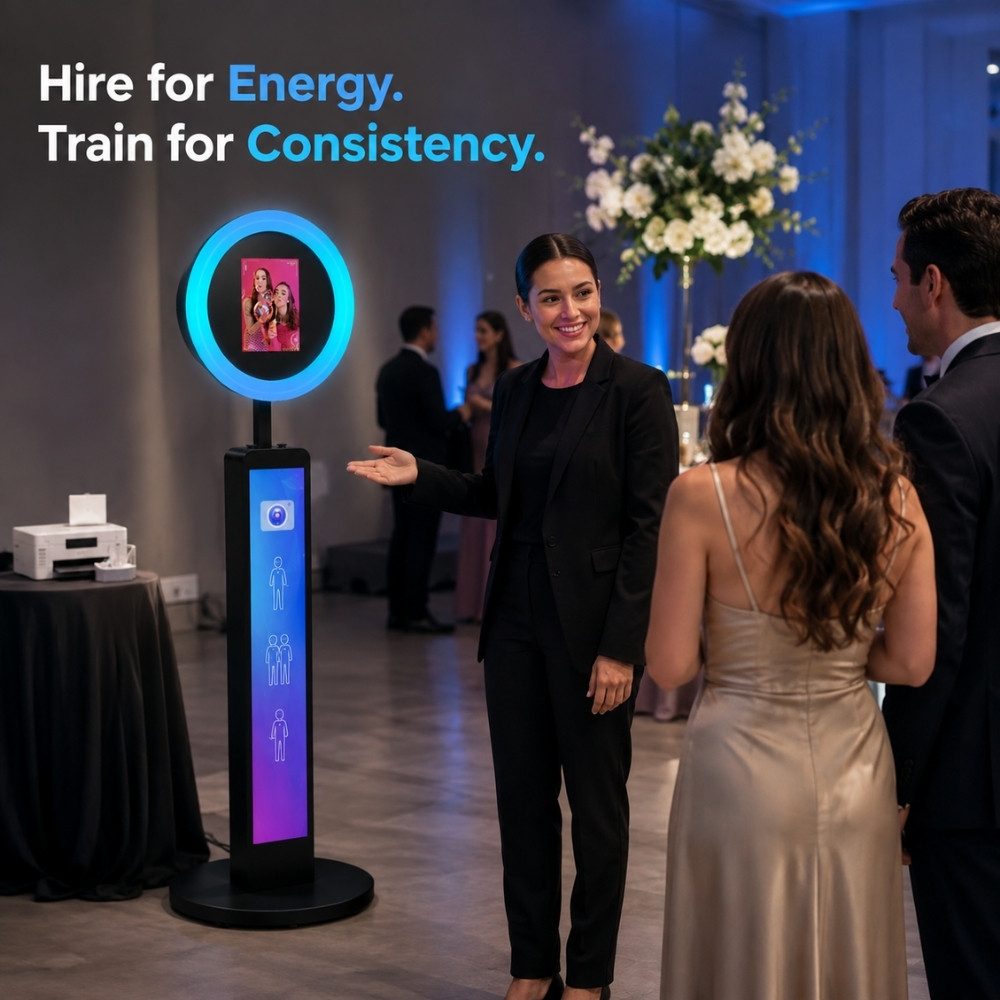
When a Photo Booth business becomes busier, the first question is often, “What equipment should we add next?”
That question matters. But there is another question that can shape the client experience just as much:
Who will represent the business at the event?
Many operators can manage a small event themselves. They know the equipment, the software, the venue, and the usual problems. As bookings increase, however, the business starts to depend on other people.
That is where the difference becomes clear. A new attendant may know how to switch on the booth, but can they welcome guests, manage a queue, notice an important family group, and stay calm when the network stops working?
Photo booth attendants are not simply equipment operators. They are part of the guest experience and part of the client’s view of your brand.
Why Your Attendant Is Part of the Product
Guests usually do not separate the attendant from the service. If the staff member is late, distracted, or unsure what to do, the client may not think, “The employee needs more training.” They may simply think, “This service feels unprofessional.”
The same is true in the other direction. A calm and helpful attendant can make the booth easier to use, encourage more guests to participate, and help the event feel well managed.
This does not mean every attendant needs to be loud or highly extroverted. Some of the best staff members are warm, observant, and comfortable speaking to strangers without taking over the event.
The role usually includes much more than operating a device:
- Arriving early and checking in with the venue or event contact
- Completing the setup and full workflow test
- Inviting guests to participate in a natural way
- Explaining the capture and sharing process
- Helping guests with poses and group combinations
- Keeping the booth area clean and safe
- Managing queues during busy periods
- Reporting technical or client issues to the responsible person
- Checking content and equipment before leaving
Hire for the Qualities That Are Hard to Teach
Equipment operation can be taught. Activity templates can be explained. A new employee can learn how to follow a setup checklist.
Some qualities are harder to create through training. They should be assessed during hiring.
| Quality | What it looks like at an event | Can training improve it? |
|---|---|---|
| Reliability | Arrives when agreed, confirms travel plans, and follows through. | Training can clarify expectations, but basic reliability should be visible early. |
| Natural communication | Can speak to guests without sounding forced or uncomfortable. | Scripts and practice can help, but natural communication is still important. |
| Initiative | Notices a long queue, a loose cable, or a guest who needs help. | A clear role can support initiative, but the willingness to act should already exist. |
| Emotional steadiness | Stays calm when equipment, guests, or timing create pressure. | Scenario practice helps, but observe how the candidate reacts to uncertainty. |
| Service awareness | Understands that the client is buying confidence, not only device operation. | Training can explain the standard and show good examples. |
Energy should not be confused with being constantly loud. For an attendant, energy often means being willing to engage, help, notice, and respond.
Use a Structured Hiring Process
A short conversation can tell you whether someone is interested in the role. It cannot always show how they will behave at a wedding, party, or corporate event.
A structured process gives every candidate a fairer comparison and gives the operator more useful evidence.
Step 1: Define the Real Photo Booth Attendant Duties
Before publishing a job post, write down the full role. If the advert only says “operate a Photo Booth,” you may attract candidates who expect to press a button and wait.
Explain that the role may include event preparation, guest communication, queue management, venue coordination, safety checks, problem reporting, and post-event equipment checks.
Step 2: Run a Short Phone Screen
The first call does not need to be long. Use it to check practical fit and communication:
- Can the candidate explain themselves clearly?
- Do they understand that events may take place at weekends or in the evening?
- Do they have a reliable travel plan?
- Are they comfortable approaching people they do not know?
- Do they understand that the role includes preparation and cleanup?
Step 3: Ask the Same Scenario Questions
Use the same core questions for every candidate. This makes the process easier to compare and reduces the chance that the interview becomes a simple personality preference.
- If guests do not know how to pose, what would you say or do?
- If a long queue forms, how would you keep the flow moving?
- If a client asks to change an effect during the event, how would you respond?
- If the device or network stops working, what would you do first?
- If a guest does not want to participate, how would you handle it?
- If you notice a cable creating a trip risk, what action would you take?
Look at the reasoning, not only the exact words. Strong answers usually include calm communication, safety, escalation, and respect for the guest.
Step 4: Use a Transparent Field Assessment
Traditional interviews have limits. If the role involves real guest interaction, a structured field assessment or shadowing session can reveal more.
Check whether the candidate:
- Arrives on time and is prepared
- Communicates with the team without waiting for every instruction
- Joins the setup and testing process
- Looks for ways to help guests
- Keeps the area organised
- Stays calm when the event becomes busy
Any trial shift or work assessment should be transparent and handled according to the employment, wage, and worker-classification rules that apply where the business operates. Do not assume that unpaid work is acceptable.
Step 5: Train Before Independent Work
A new employee should not be expected to run an important event alone after one short explanation.
A common progression is:
- Observe a complete event and review the workflow afterwards.
- Complete selected tasks under the supervision of an experienced attendant.
- Lead the main workflow while a senior team member checks the work.
- Work independently after the required skills and safety standards are confirmed.
The number of training events should depend on the person, the event type, and the risks involved. The point is not to reach an arbitrary number. The point is to confirm competence.
Train the Complete Event Workflow
Good Photo Booth attendant training should cover the full event, not just the equipment.
Module 1: Before the Event
- Read the event brief and identify the main objective.
- Confirm the date, time, address, access instructions, and venue contact.
- Check the assigned equipment, cables, batteries, and accessories.
- Load the correct event template.
- Confirm the logo, background, filters, watermark, disclaimer, and sharing settings.
- Test the full capture, processing, saving, and sharing workflow.
Module 2: Professional Arrival
- Leave enough time for setup and testing.
- Introduce yourself to the venue or planning contact.
- Confirm the booth position and event schedule.
- Keep cables, equipment, and work areas organised.
- Complete a safety check before guests arrive.
- Keep the phone away unless it is needed for the job.
Module 3: Guest Interaction
- Invite guests in a friendly and direct way.
- Use short instructions instead of long explanations.
- Offer simple pose or group suggestions.
- Adjust communication for children, older guests, and quieter participants.
- Encourage group participation without pressuring anyone.
- Respect personal space and the tone of the event.
Module 4: Exception Handling
Every attendant should know the difference between a small issue they can solve and a problem that needs escalation.
- What to do when the live network is unavailable
- How to check whether content has been saved
- How to handle offline sharing tasks
- When to stop the equipment
- When to use the emergency stop function
- Who to contact when the issue cannot be solved safely
- How to explain a delay without creating unnecessary concern
Module 5: Closing the Event
- Check that important content is complete.
- Review unfinished sharing or upload tasks.
- Confirm the end of service with the client or venue contact.
- Clean and safely pack the equipment.
- Report any technical issue or client feedback.
- Complete the event review while the details are still fresh.
Create a Photo Booth Attendant Scorecard
A scorecard turns general feedback into something the team can understand. Use a simple 0–2 scale:
- 0: The standard was not reached.
- 1: The attendant needed a reminder or support.
- 2: The attendant completed the task independently and consistently.
| Dimension | What to check |
|---|---|
| Timeliness | Arrives with enough time for setup and testing. |
| Professional appearance | Follows the agreed dress and conduct standard. |
| Equipment preparation | Checks the device, accessories, and operating area. |
| ChackTok workflow | Loads and tests the correct activity settings. |
| Guest communication | Explains the process clearly and politely. |
| Initiative | Notices and responds to guest or venue needs. |
| Pose guidance | Offers useful suggestions without making guests uncomfortable. |
| Queue management | Keeps the activity moving during busy periods. |
| Safety awareness | Maintains a clean, stable, and safe operating area. |
| Problem handling | Uses the correct recovery or escalation process. |
| Event closing | Checks content, sharing tasks, equipment, and venue area. |
| Team communication | Reports issues and feedback clearly after the event. |
This scorecard is for internal training and review. It should not be presented as an industry certification.
Standardise Execution with ChackTok
ChackTok cannot replace a great attendant, but it can give every trained attendant a more consistent workflow to follow.
Depending on the supported equipment and event requirements, operators can use ChackTok to support:
- Activity templates that reduce repeated configuration
- Consistent event settings for different types of bookings
- Device operation and standard control steps
- Emergency stop protection during supported workflows
- Offline task queuing when the network is unstable
- Batch content management after a busy event
- QR code, SMS, and email sharing for a more consistent delivery process
The goal is not to make every attendant behave exactly like the owner. A scalable business needs a clear standard that different people can follow while still bringing their own natural communication style.
For more information about the platform workflow, visit how to use ChackTok.
A Practical Training Review After Each Event
After an event, do not ask only whether the equipment worked. Ask a few operational questions:
- Did the attendant arrive with enough time?
- Did guests understand what to do?
- Was the team proactive without interrupting the event?
- Was any important guest or moment missed?
- Did the attendant know what to do when something changed?
- Was the content and equipment check completed before leaving?
Keep the review short. The purpose is to improve the next event, not to create paperwork for its own sake.
Conclusion
A scalable Photo Booth business is not built by finding copies of the owner. It is built by hiring the right people and giving them a clear system.
Hire for reliability, initiative, communication, and service awareness. Then train the complete event workflow, from preparation to content delivery.
The more clearly the standard is defined, the easier it becomes for a team to deliver a consistent experience without the owner standing beside the booth every time.
Turn your event knowledge into a repeatable ChackTok workflow.
Explore ChackTokFrequently Asked Questions
What should photo booth attendant training include?
Training should include event preparation, equipment setup, activity testing, guest communication, pose guidance, queue management, safety, exception handling, content checks, and event closing.
How do I hire a good photo booth attendant?
Assess reliability, communication, initiative, service awareness, and emotional steadiness through a phone screen, structured interview, scenario questions, and a transparent field assessment.
What are the main photo booth attendant duties?
Main duties include arriving early, setting up and testing equipment, welcoming guests, explaining the capture and sharing process, managing the area, reporting issues, and checking content before leaving.
Can ChackTok replace photo booth staff training?
No. ChackTok can support a consistent event workflow, but operators still need to recruit, train, supervise, and evaluate their attendants.